Competitor research
Benchmarking direct and indirect competitors to evaluate strengths and weaknesses.
A centralized platform that helps organizations manage purchase requests, supplier sourcing, and approval workflows with greater efficiency and transparency.
Streamlined
Simplifying
Secure
Streamlined Approvals
Purchase Requests
Supplier Management
Designed to simplify procurement processes by providing real-time data visibility, streamlined approvals, and smarter supplier management.
What I Do
UX Research
I led stakeholder interviews, market research, and synthesized insights into key pain points and opportunities.
UI/UX Design
I created user flows, wireframes, and high-fidelity designs, built a design library, and handed off to developers.
From Research to Design Delivery
During the Empathize phase, I conducted stakeholder interviews and mapped out feature ideas based on user value vs. implementation effort. This prioritization exercise helped align business needs with technical feasibility, ensuring the design direction focused on both impact and practicality.
Automated Supplier Comparison
Streamlined Purchase Request
Cross-Department Budget Simulation
By examining the market landscape, I was able to uncover both industry trends and competitor strategies that shaped procurement platforms. I analyzed direct competitors, reviewed market reports, studied user feedback, and applied heuristic evaluations.
Competitor research
Benchmarking direct and indirect competitors to evaluate strengths and weaknesses.
Trend & Industry scan
Reviewing industry reports and articles to capture emerging patterns and best practices.
User review mining
Analyzing customer feedback from platforms such as G2 and Capterra to uncover common pain points
Heuristic benchmarking
Applying usability principles to systematically assess competitor products.
Insights from stakeholder interviews and market research were synthesized into key themes. This process helped me identify pain points around efficiency, transparency, and cost control. By reframing these challenges into opportunity statements, I was able to set a clear direction for ideation and design.
Theme 1: Workflow Efficiency
1. Approval delays caused by multi-level sign-off.
2. Finance department often creates bottlenecks in final approval.
3. Unclear ownership leads to requests being “stuck” without action.
Theme 2: Inventory Visibility
1. Staff cannot see real-time stock levels before creating purchase requests.
2. Duplicate orders occur due to lack of shared visibility.
Theme 3: Supplier Management
1. Users manually compare supplier prices using Excel sheets.
2. No consistent way to evaluate supplier performance over time.
Theme 4: Usability & Training
1. New employees find the system difficult to learn without guidance.
2. Navigation is inconsistent, leading to frequent user errors.
Building on the synthesized themes, I transformed pain points into How Might We questions to encourage divergent thinking. This step generated a wide range of potential solutions—from streamlining approval flows to enhancing inventory visibility—which were later prioritized based on feasibility and impact.
Theme 1: Workflow Efficiency
1. HMW simplify the approval flow to reduce bottlenecks
Idea: One-click approval for low-value purchases.
Theme 2: Inventory Visibility
1. HMW provide real-time stock visibility to avoid duplicate orders?
Idea: Dashboard widget showing live stock levels.
Theme 3: Supplier Management
1. HMW help users compare suppliers without manual work?
Idea: Auto-generated supplier scorecard with pricing + reliability.
Theme 4: Usability & Training
1. HMW make onboarding easier for new employees?
Idea: Step-by-step guided tour inside the system.
With clear problem statements and prioritized ideas, I translated concepts into user flows and wireframes before developing high-fidelity designs. My focus was on simplifying key workflows—such as purchase requests and approvals—while ensuring the dashboard provided real-time visibility into inventory and supplier information.
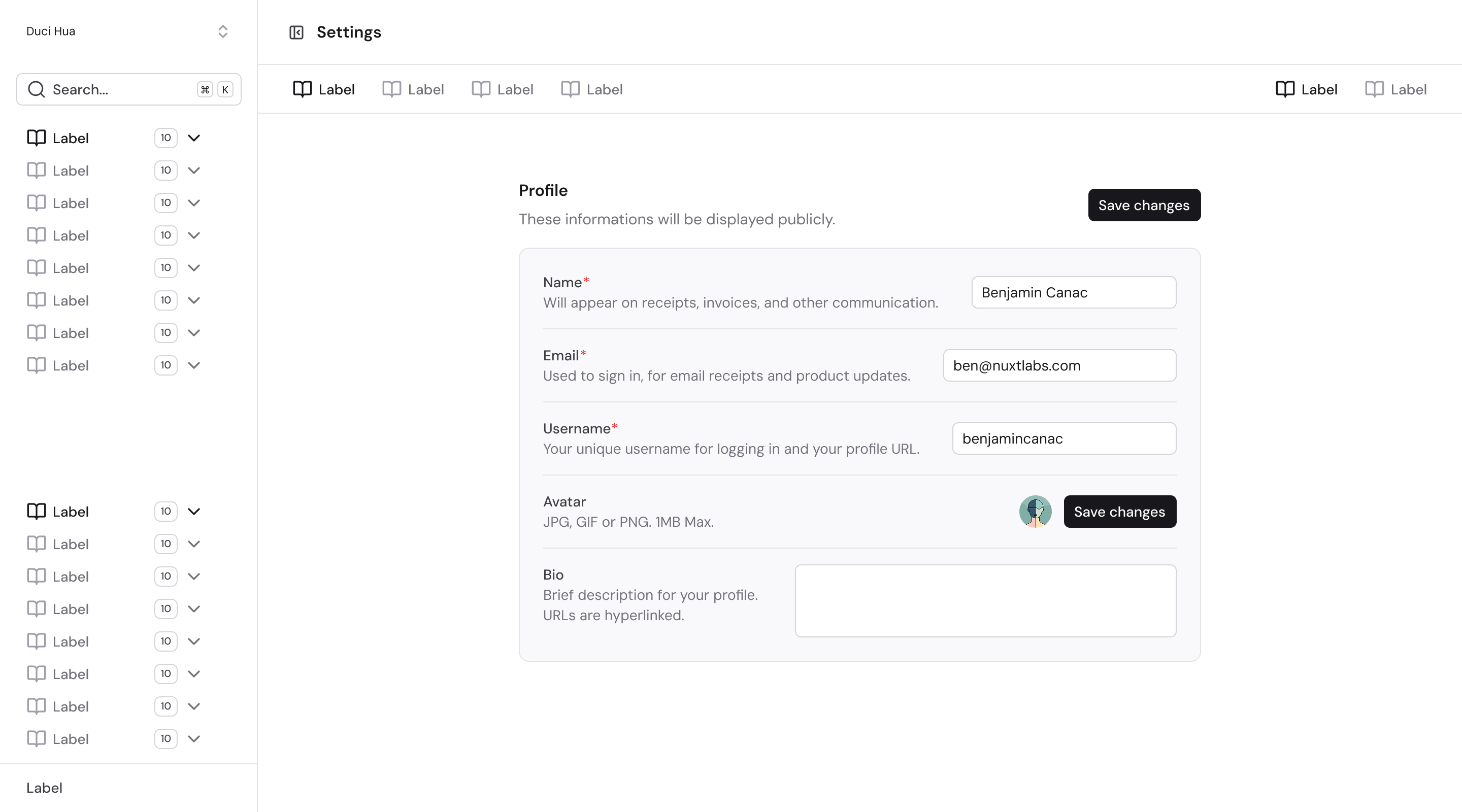
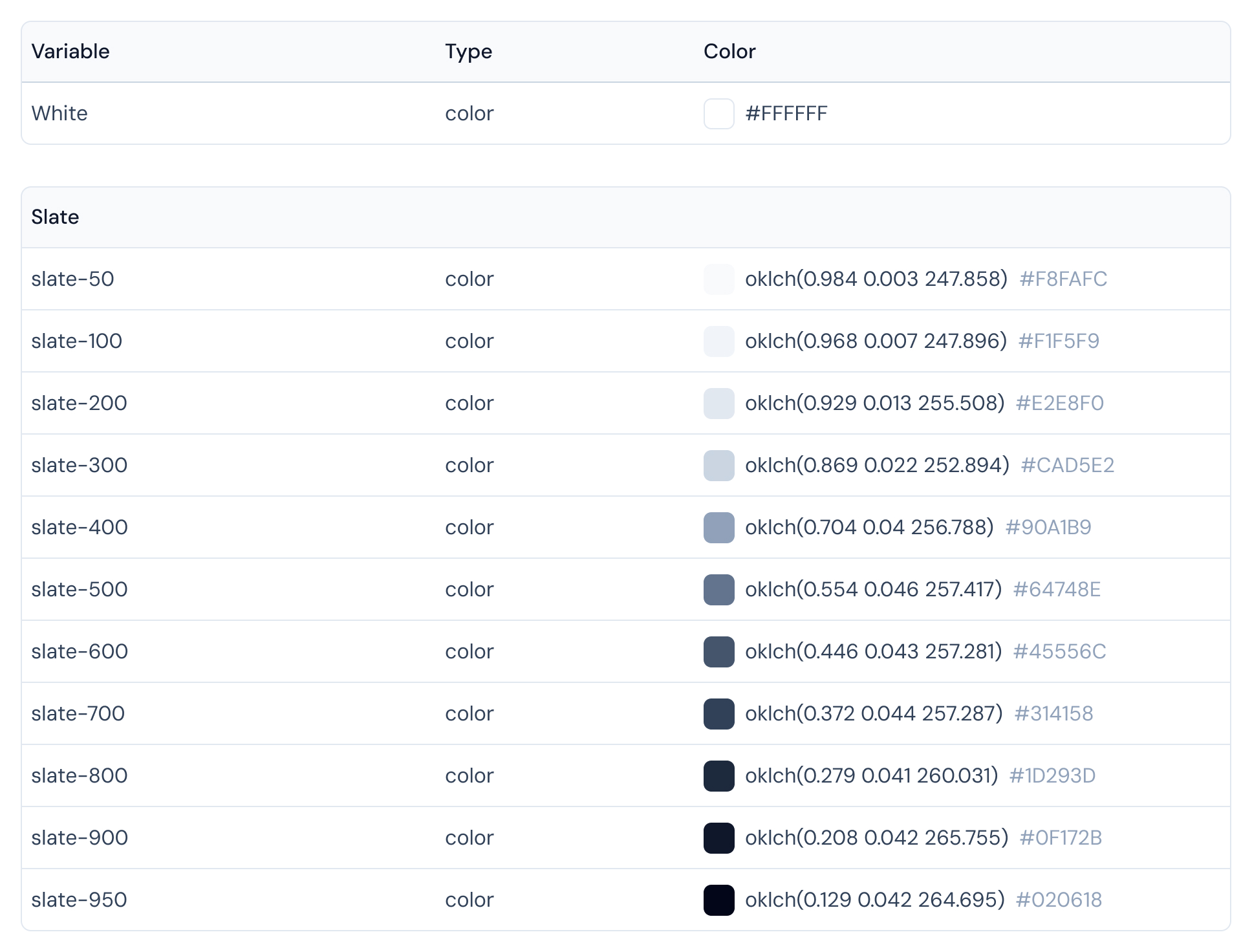
To support implementation, I documented the design through a component-based library and handed off final screens to developers. This included color tokens, typography, and reusable components such as buttons, forms, and tables. By maintaining a structured library, I ensured consistency across the platform and simplified the development process.
After completing the initial designs, I built a clickable prototype and conducted usability testing with 7 target users. The sessions focused on core workflows such as creating purchase requests and approving orders. Feedback revealed usability gaps—for example, users struggled to locate the approval action—leading to key iterations in the interface. These changes improved task success rates and confirmed that the design met user expectations.
Task 1: Create a New Purchase Request
1. Goal: Test if users can successfully submit a purchase request with minimal errors.
2. Scenario: "You need to request 20 units of Item A from the warehouse.”
3. Observation:
Users quickly located the “New Request” button.
Some users hesitated when selecting the supplier field (not clearly marked mandatory).
4. 4. Insight: Supplier selection needs stronger visual emphasis.
Task 2: Approve/Reject a Pending Request
1. Goal: Evaluate how easily managers can approve or reject purchase orders.
2. Scenario: "You are a manager. Approve a request for office supplies under $500.”
3. Observation:
Managers could find the pending request list.
Several users overlooked the approve/reject buttons because they were hidden in a dropdown.
4. Insight: Primary actions (Approve/Reject) should be surfaced more prominently.
Task 3: Check Real-time Stock Availability
1. Goal: Assess how users verify stock before making a request.
2. Scenario: “Before creating a request, check how many units of Item B are available.”
3. Observation:
Users easily navigated to the inventory dashboard.
Confusion arose when stock data updated slowly, creating doubt about accuracy.
4. Insight: Need clearer indicators for live data refresh.
Dashboard
Procurement Dashboard Overview
Based on insights from stakeholder research, the dashboard was designed to address the need for visibility and control. It consolidates purchase requests, orders, and receipts into a single view, helping users track procurement activities in real time and make faster decisions.

"
For us, great procurement software is not just about features—it’s about making sure our people always feel supported. We wanted a system where help is never more than a click away.
Linh Le, Head of Project
To address onboarding challenges and reduce support requests, I designed a centralized hub where users can quickly access integrated tools, tutorials, and help resources. This feature improves learnability for new employees and ensures teams can resolve issues without workflow disruptions.

Quotation
Quotation Management Made Simple
he Quotation module consolidates all requests and supplier details, making it easier for teams to manage quotes, track progress, and ensure transparency across procurement workflows.
This screen provides an overview of all quotations, allowing users to filter by requester, recipient, unit, and status. The design focuses on clarity and quick navigation to reduce time spent searching for specific requests.

Users provide essential details and upload related documents. The form ensures all key fields are captured upfront to avoid missing data later.
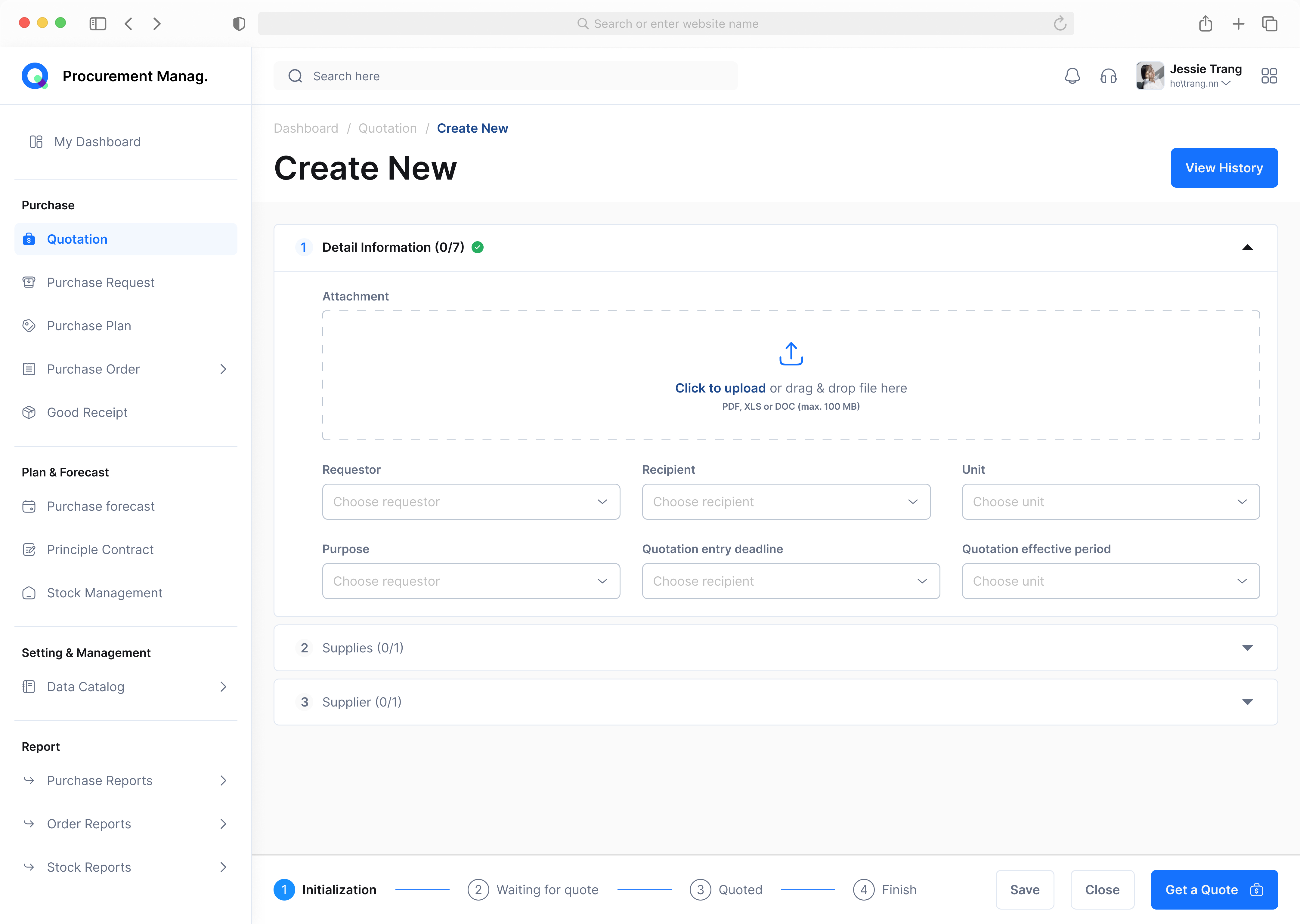
This step allows users to specify items, quantities, and requirements. A structured table reduces errors and keeps supply details consistent.

This modal allows users to quickly search, filter, and select items from a structured catalog. By standardizing supply data entry, it reduces manual errors and ensures consistency across quotations.

Users can search and assign suppliers to the quotation. Centralizing supplier input at this step ensures accuracy and simplifies the following approval process.

Send quotations to suppliers directly in-platform, using templates and tracked communication.

Data Catalog
Data Catalog Management
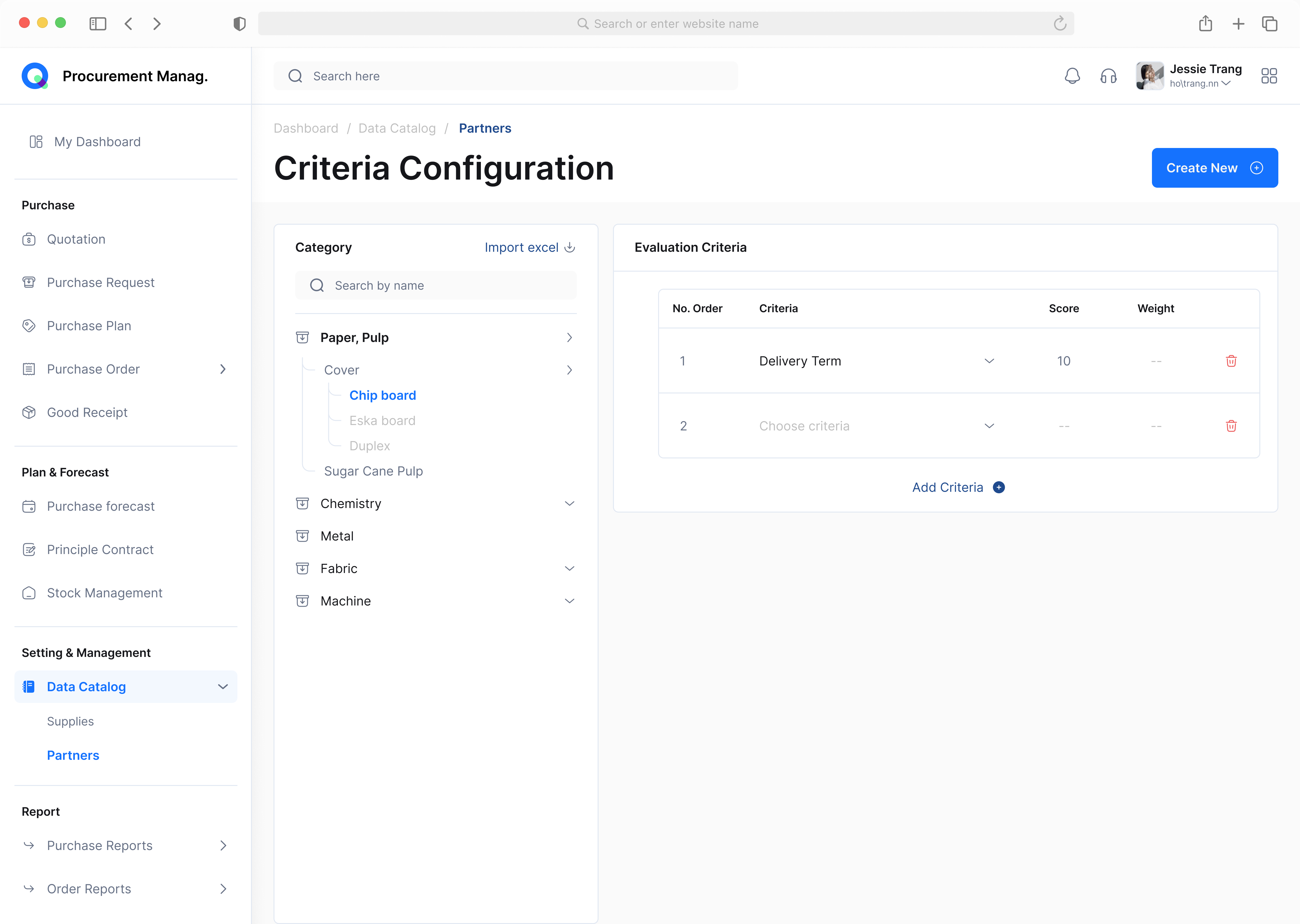
The Data Catalog serves as the foundation of the procurement platform. It centralizes supply categories, allows teams to create and manage items, and defines evaluation criteria for suppliers. By standardizing this data, the system reduces inconsistencies and ensures smoother downstream workflows in purchasing and approvals.
This section organizes supplies into structured categories, making it easier for users to browse and manage items. Clear labeling and status indicators (e.g., Published, Pending, Archived) improve visibility across departments.

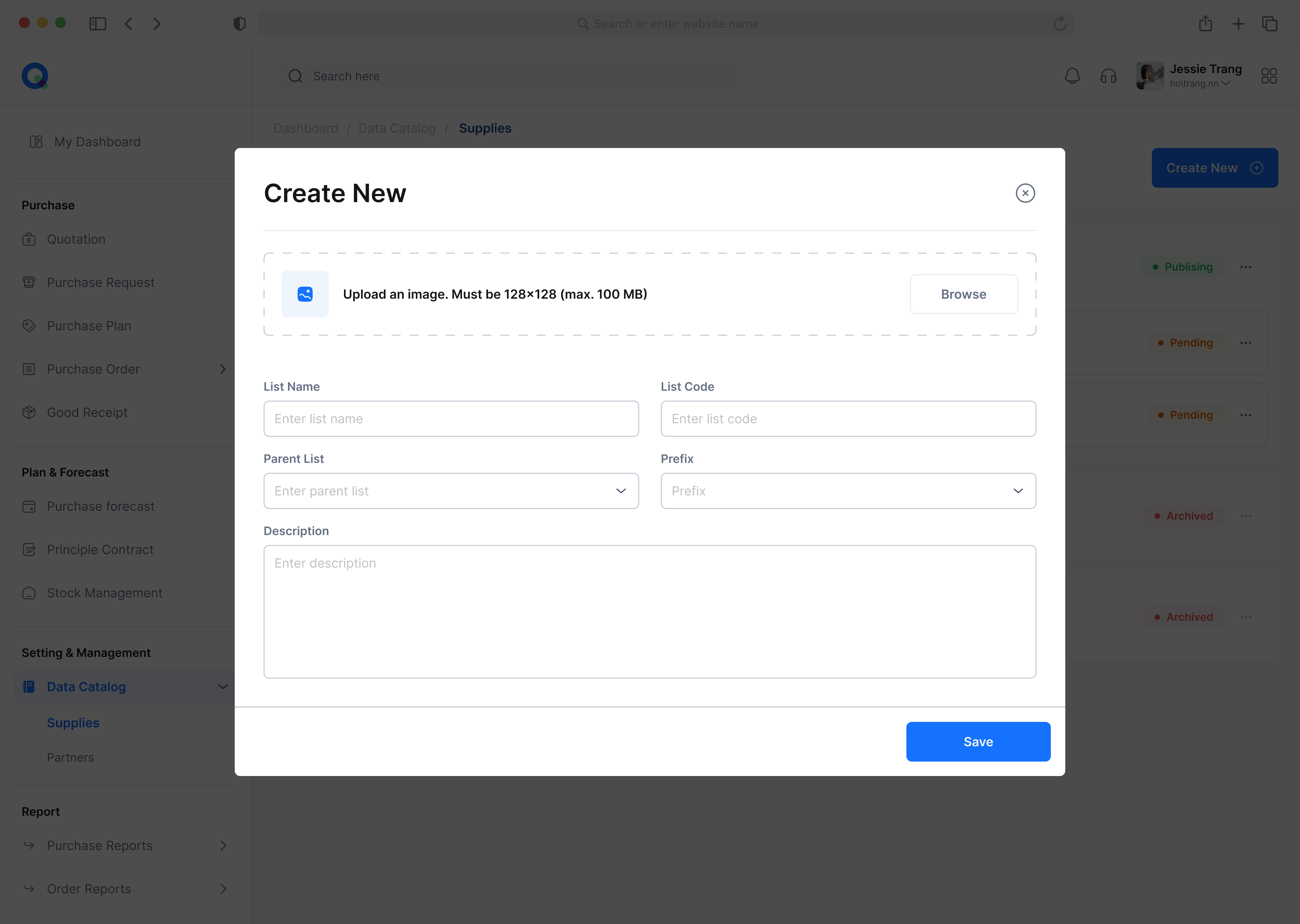
Users can add new supply entries with essential attributes such as name, code, and description. A simple form ensures accurate data entry while maintaining consistency across the catalog.
Procurement teams can define evaluation criteria for suppliers—such as delivery terms, pricing, or quality. These criteria create a standardized framework for supplier comparison and decision-making.
I help teams turn complex flows into clear, intuitive interfaces. Available for freelance & short/long-term projects.